Internal reporting module
Internal Reporting is Pluxee's reporting module used by HR teams to track how employees use their benefits. For years, every report had to be prepared manually by an internal team. We changed that.
Year:
2025
Location:
Prague, Czech Republic
Design framework:
Lean UX
Tools:
Figma, Pluxee Design System, Dovetail, Teams
3D Hover Component
Connect a frame to the component.
Research
Define
Ideate
Outcome
The problem:
HR specialists weren't unable to work with their data because the data wasn't there. They were blocked because the tool didn't exist. Every report had to go through an internal team creating delays and unnecessary dependency on Pluxee's customer service.
Goal:
To design a self-service reporting module that allows HR teams to create, filter, export and manage their own benefit reports without contacting Pluxee support.
My role:
UX/UI Designer leading the end-to-end design of the reporting module from stakeholder interviews and personas through high fidelity prototyping, moderated research and dev handoff.
Methods:
Stakeholder interviews
Process mapping
Tool benchmarking
High-fidelity prototyping
Usability testing
Dev handoff
Think
Before designing anything, I needed to understand why the reporting process felt so slow and left HR teams dependent on internal support. By talking to product managers and mapping how reports were requested and delivered, I could identify exactly where the current flow was breaking down.
/01
Stakeholder interview
I ran two stakeholder interviews to clarify goals and current pain points. We mapped the real reporting flow, from the initial client request to the final Excel export and noted where work is slow, manual, or blocked by internal teams. The key insight: the data exists, but HR teams can’t access it without asking someone inside Pluxee.

"We are planning a complete redesign of the corporate reporting module. Previously, we prepared the reports for the clients ourselves, but now we want to give them a tool that allows them to easily create reports themselves. The module should be visually modern, technically stable, and above all, user-friendly."
— Jan Gillern, Product manager

"From an HR perspective, we need the new system to allow easy orientation in the utilization of benefits across teams while also saving time. Exports and reports primarily serve HR specialists, and therefore it is important that they are well-structured, easily filterable, and quickly accessible."
— Simona Kuldová, Product manager
/02
Current process mapping
Using input from stakeholders, I mapped out the current "As-is" reporting flow. Visualising the process made the bottlenecks immediately clear: repeated manual database queries, custom formatting by internal teams, and long waits between handoffs resulting in a static, non-reusable file.

/03
Tool benchmarking
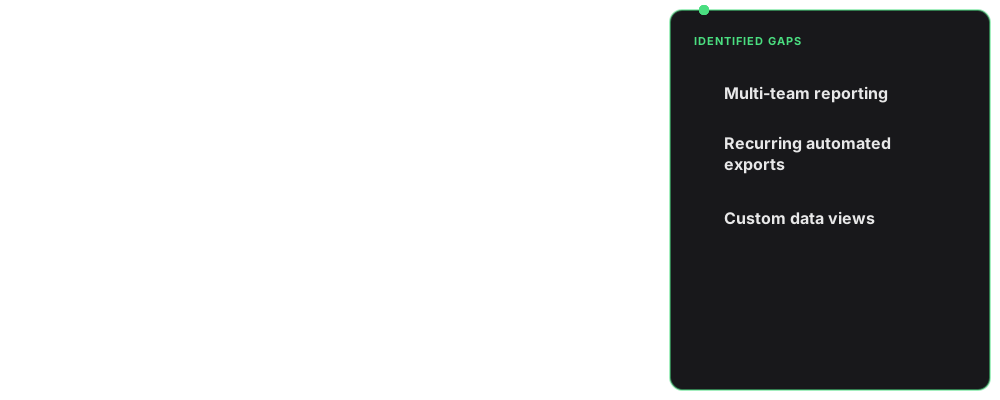
I analysed several industry-leading HR and analytics tools to see how they structure complex data, expose filters, and handle exports. This helped me avoid reinventing basic patterns. The key missing pieces identified were multi-team reporting, recurring automated exports, and the ability to save custom data views.
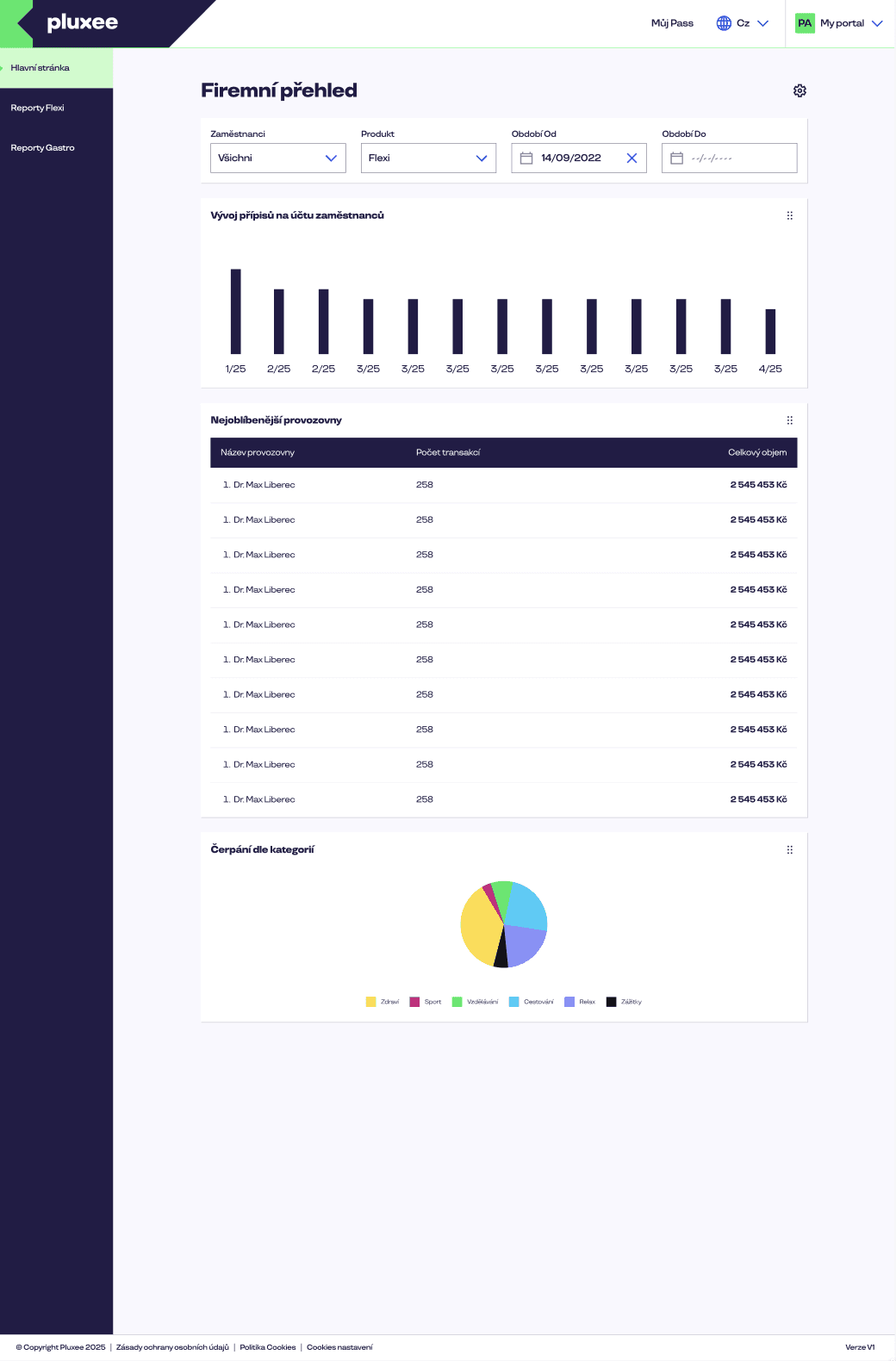
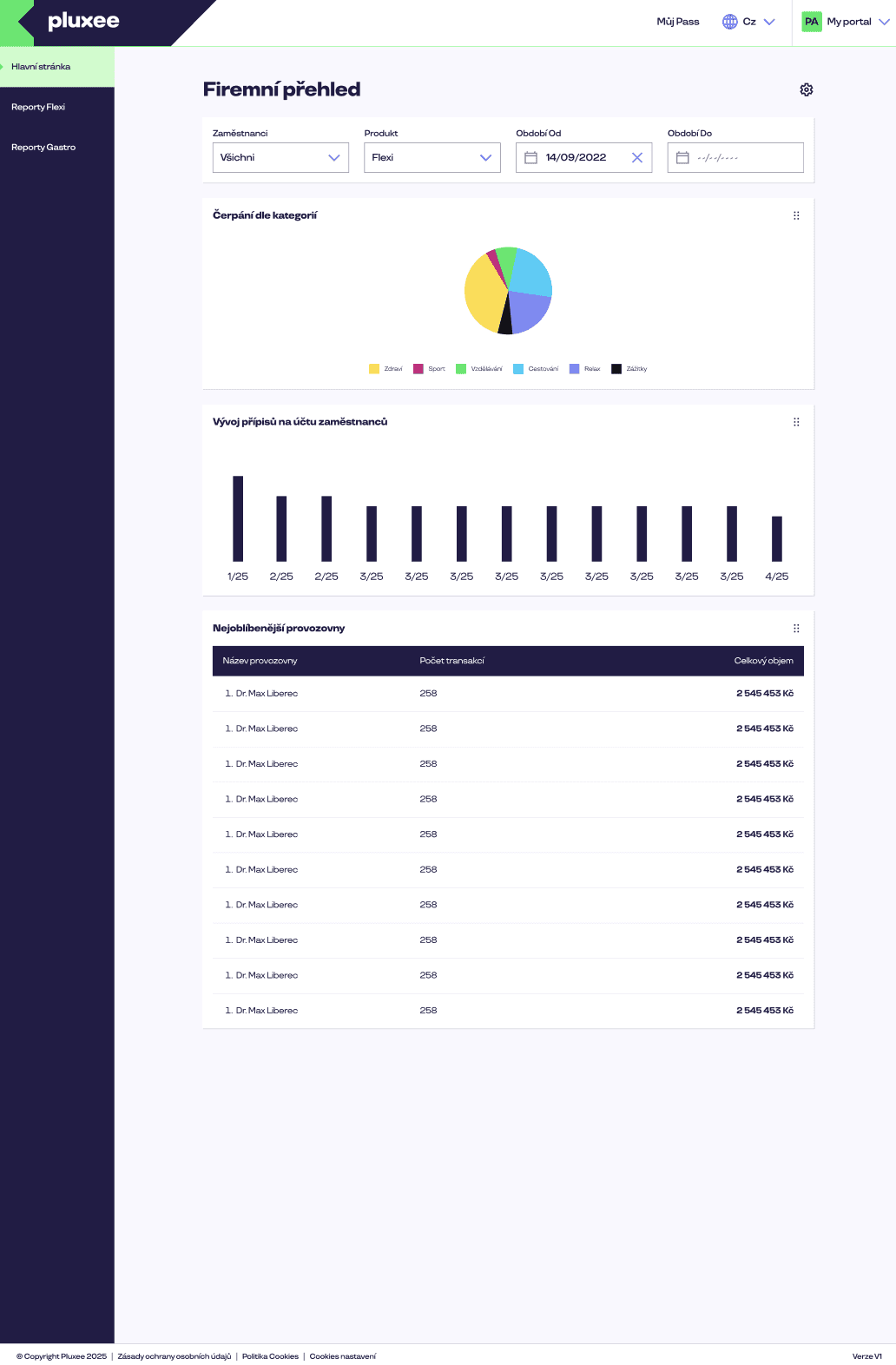
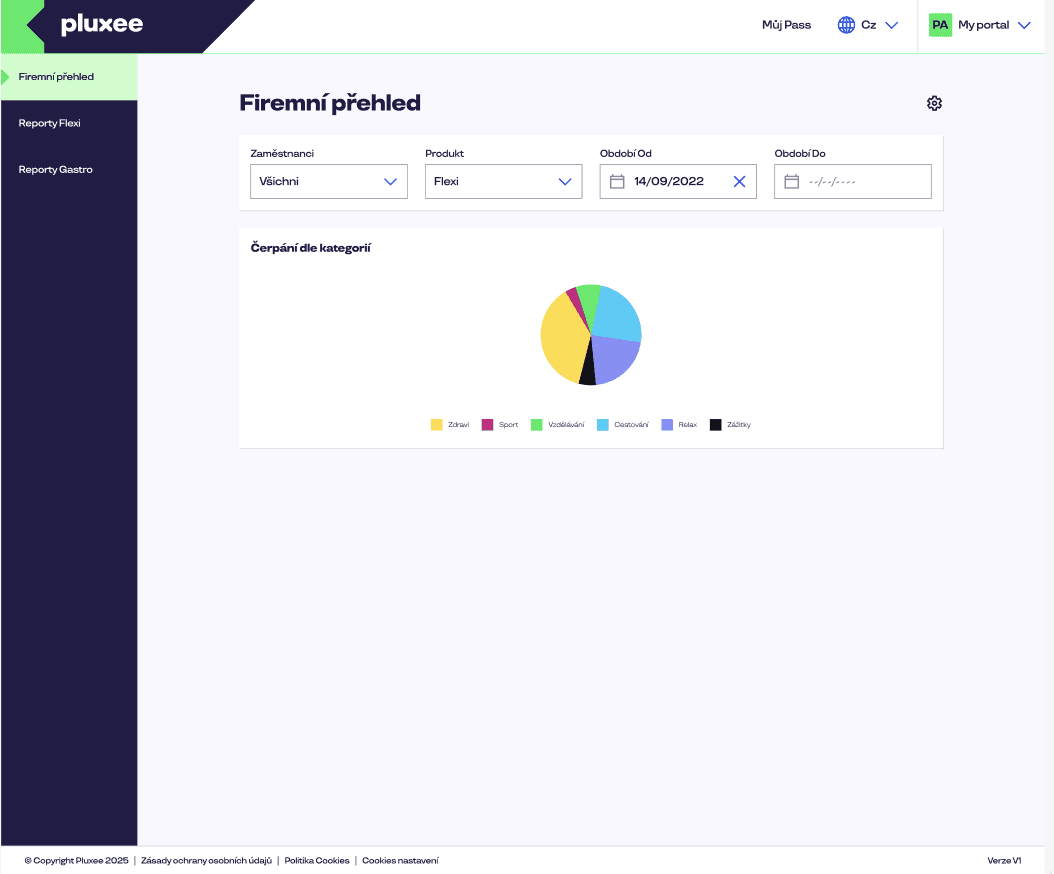
Once I understood the core bottlenecks and business requirements, I used the Pluxee UI library to build a high-fidelity prototype immediately. This gave us a tangible base to test and iterate on without wasting time.
/01
High fidelity prototyping
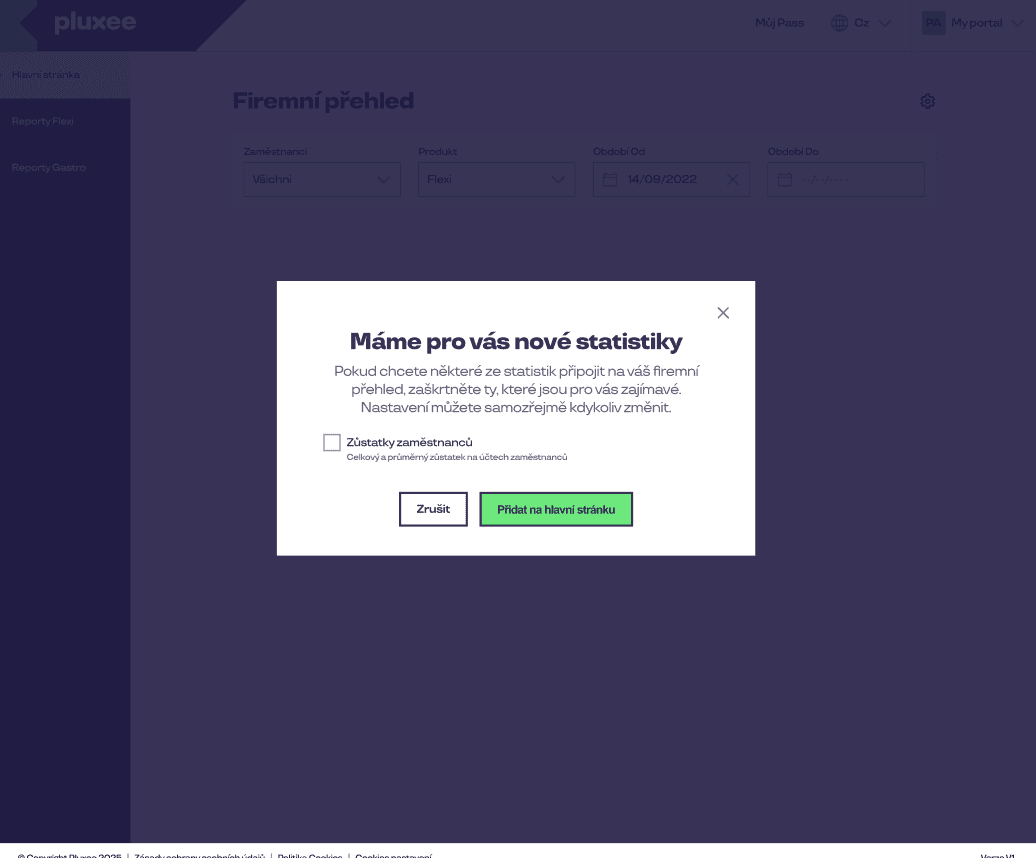
I skipped low-fidelity wireframes entirely. Working strictly from the business specification and leveraging the existing Pluxee design system, I created a realistic, interactive visual of the reporting module right from the start.
Test
I ran task-based usability sessions with HR specialists to see if our assumptions held up. The tests revealed where the interface worked perfectly and where it caused friction.
/01
Preparation & usability testing
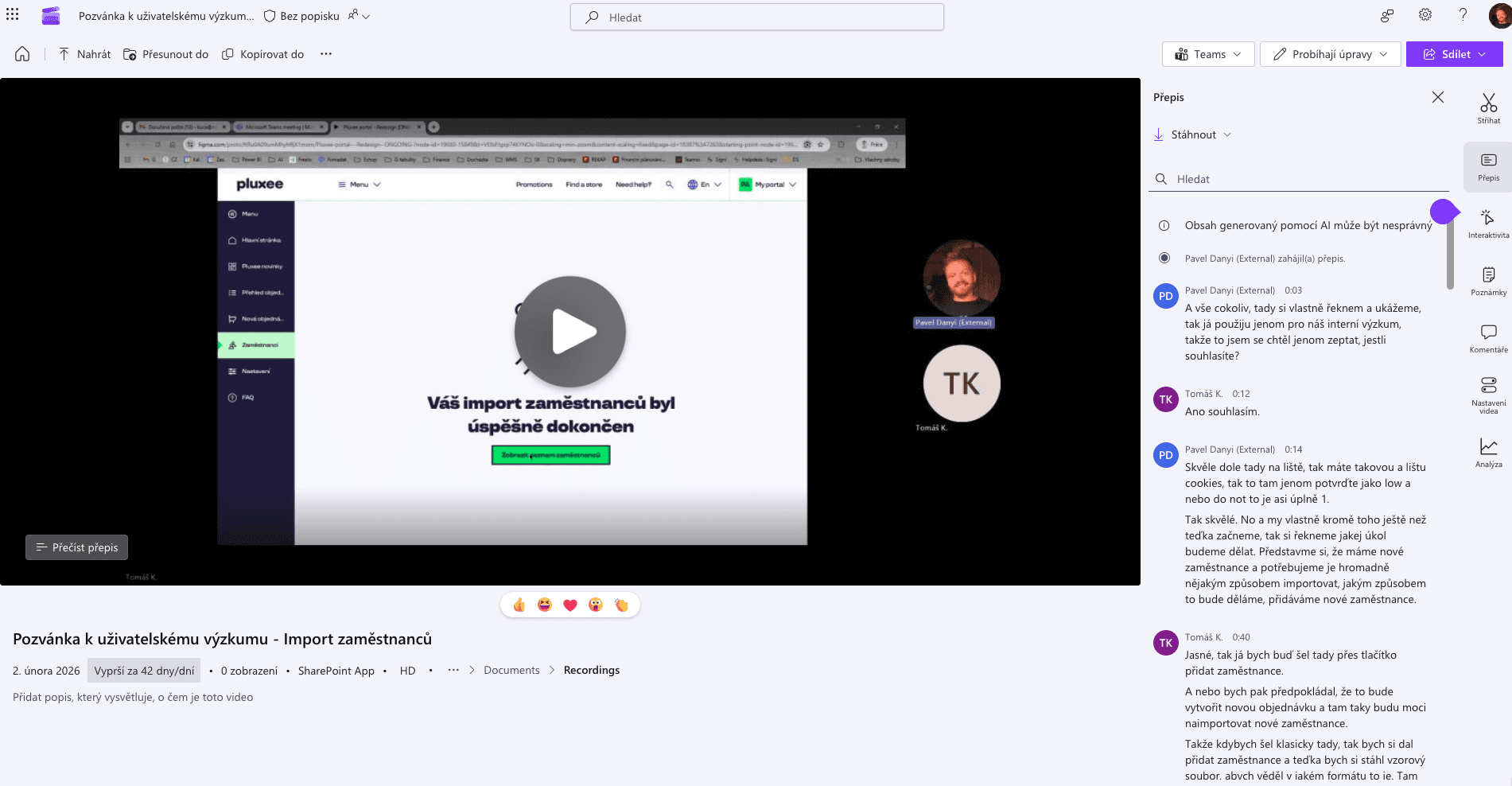
To ensure objective results, I prepared a structured usability testing script focusing on the core reporting flows. I recruited and conducted moderated sessions with 10 HR specialists our exact target personas and actual end-users. Every session was recorded and transcribed directly in Dovetail to capture every detail and avoid any cognitive bias.
/02
Setup hypothesize
Before bringing the prototype to users, I met with the product managers to validate the core flow. Instead of a formal document, we reviewed the design together and left comments directly in Figma. These assumptions became the exact hypotheses we needed to test.
/03
Usability testing
I first developed detailed testing scenarios to validate our hypotheses in practice. Based on these, we reached out to specific personas from our database and invited them to moderated usability sessions. Over 10 sessions, we tested the prototype to observe where the interface worked seamlessly and where it caused friction.
/04
Synthesis & prioritisation
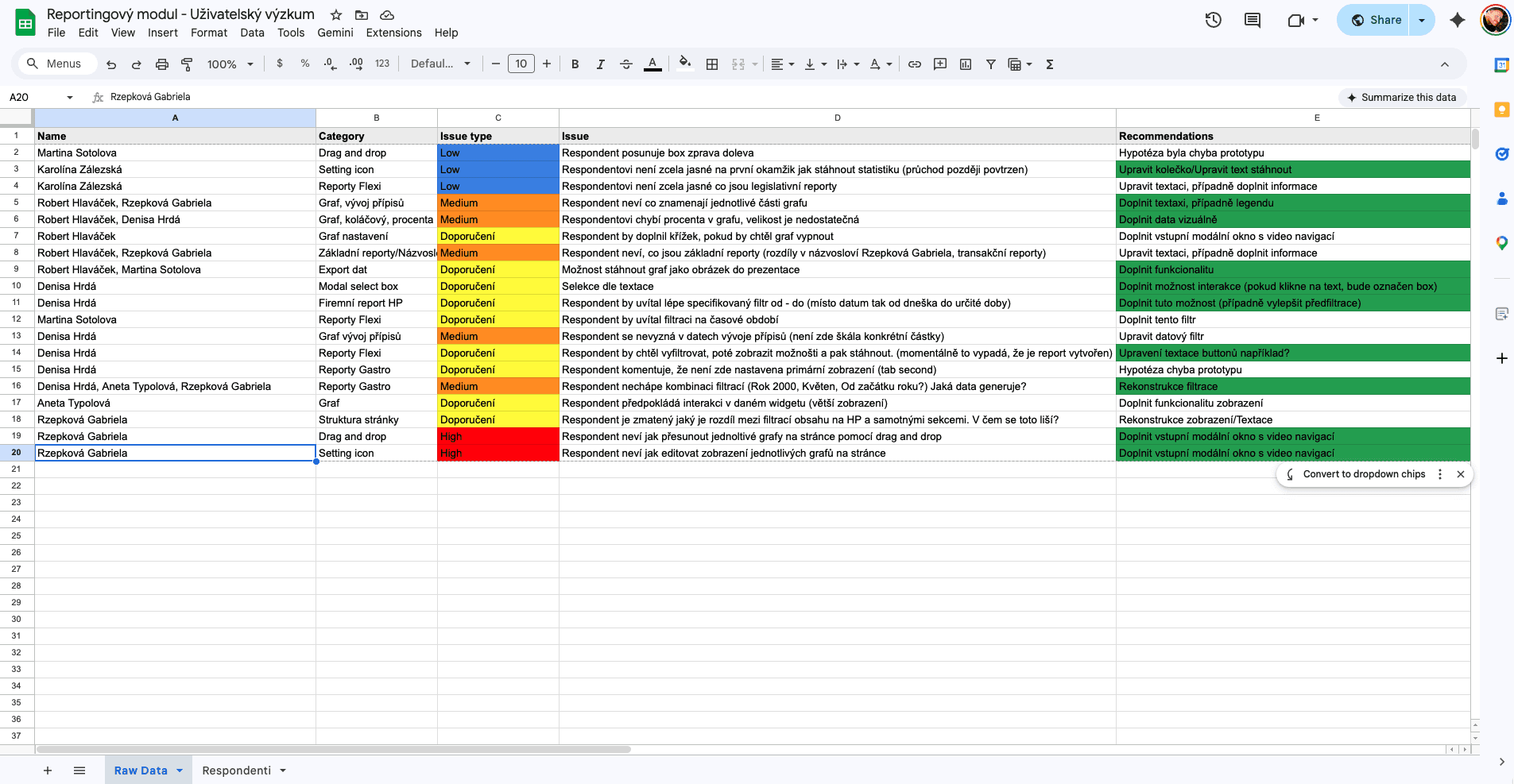
I synthesised the data using the Empathy Mapping method to deeply understand the core user pains. Following this, I compiled all insights into a structured spreadsheet, prioritising those that recurred across multiple sessions to identify the most critical issues
Iterate
I led an iteration workshop with stakeholders to align user needs with technical feasibility. After fixing high-priority issues, a final test confirmed a 100% task success rate.
/01
Reporting
Based on stakeholder feedback and research, I pulled key filters out of secondary menus for instant access and simplified technical terminology. This eliminated user hesitation and made the final prototype ready for development handoff
Delivery
Based on the learnings, I iterated on the design to reduce cognitive load. The project concluded with a final sign-off and a comprehensive handoff to the development team.
/01
DEV Handoff
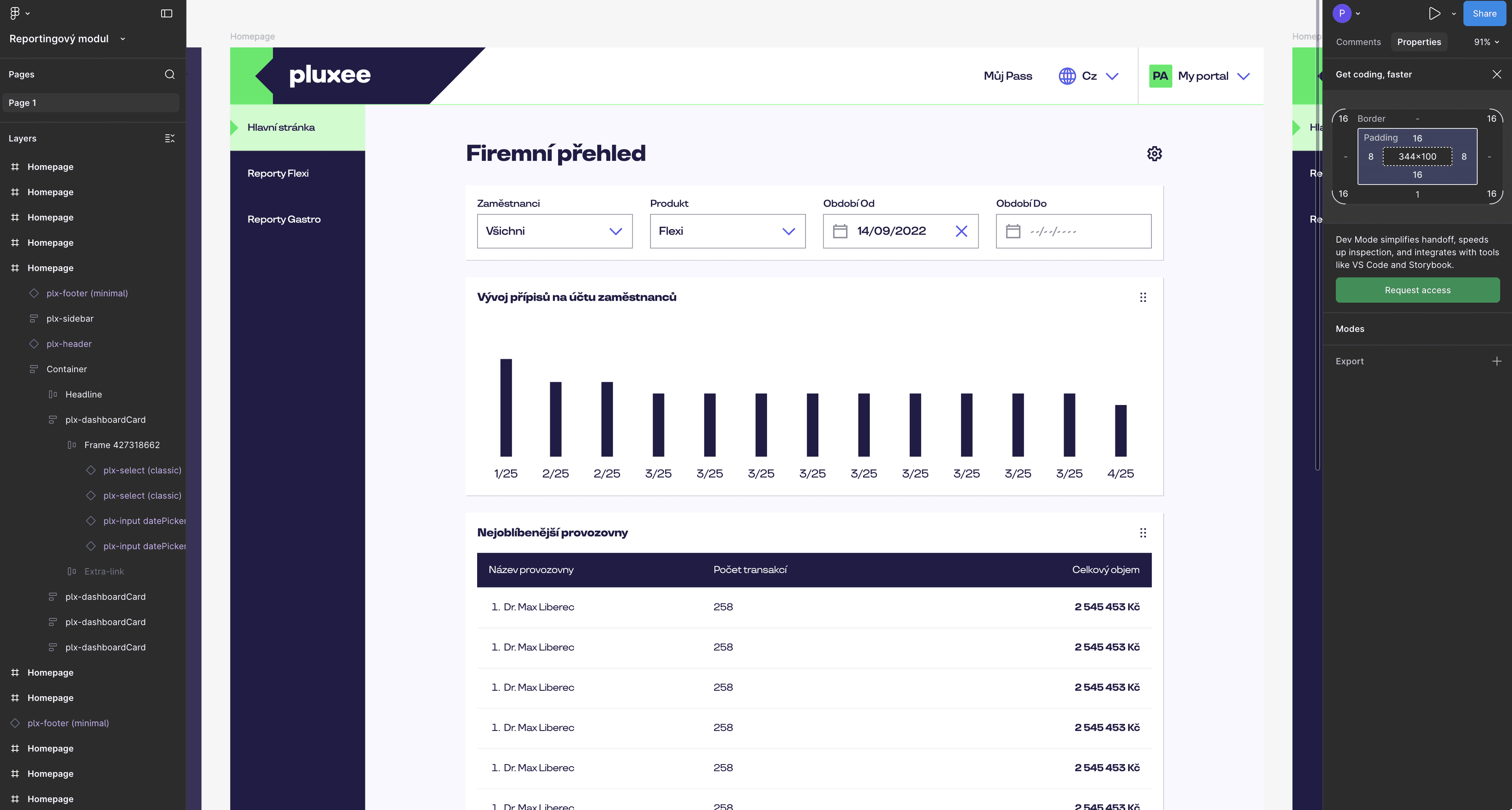
The project concluded with a final stakeholder sign-off. I prepared a comprehensive handoff file in Figma, mapping out component behaviors and states for the developers.
Outcome
The final reporting concept gives HR specialists a self‑service way to create and export reports without waiting for manual help from Pluxee teams.
/01
DEV Handoff
The project concluded with a final stakeholder sign-off. I prepared a comprehensive handoff file in Figma, mapping out component behaviors and states for the developers.
/02
Impact
The new flow reduces the number of ad‑hoc report requests and makes standard reports something HR teams can run themselves. Product and development now have a concrete, tested pattern they can reuse for future internal tools.
/03
What I learned
Designing internal tools is as much about changing habits as changing UI. I learned how important it is to involve development early and to frame every design decision in terms of implementation cost and support load.
/04
Next steps
Roll out the new reporting flow to a pilot group of HR clients and track how often they still ask for manual exports.