Surf
Ocean
Freedom
Experience
Můj
Pass
Můjpass.cz is a nationwide venue database where Sodexo clients find places to spend their employee benefits. Nobody had touched the UX in years. We fixed that, and rebranded it to Pluxee while we were at it.
Year:
2022 - 2023
Location:
Prague, Czech Republic
Design framework:
Design Thinking
Tools:
Figma, Pluxee Design System, Teams, Dovetail
Research
Define
Test
Delivery
The problem:
The search engine was no longer meeting user expectations. Engagement was dropping, revenue with it. Users weren't failing to find benefit venues because the venues weren't there. They were failing because the interface buried them: broken filters, outdated content, no mobile logic. The platform was losing to Google Maps.
Goal:
Design an intuitive, mobile-first search ecosystem and align it with the new Pluxee visual identity. Improve user orientation and increase company revenue through better merchant visibility.
My role:
Lead UX/UI Designer responsible for the end-to-end redesign. From stakeholder interviews and research through wireframing, testing and final UI implementation.
Methods:
Stakeholder interviews
Service Safari
Internal interviews across departments
Analytics review
Moderated qualitative research
Empathy mapping and personas
Competitive analysis
HMW workshop and Dot Voting
Crazy 8's design studio
Wireframing and high-fidelity prototyping
Guerrilla and moderated usability testing
Empathize
I needed to understand why users were leaving, what the organisation thought the problem was, and where those two stories didn't line up.
/01
Stakeholder interview
"We need to optimise our current search engine to provide existing users with a clear orientation of where they can use their benefits, and to optimise the display of relevant merchants, thereby increasing the company's revenue."
— Jakub Mačát, Head of Product
The project started with a single quote from Ing. Jakub Mačát, Head of Product Communication:. Using the 5 Whys method, that one quote unravelled into something more uncomfortable: a product nobody had touched in years, built on a system everyone was afraid to change.
/02
Service Safari
I stepped into the shoes of an HR manager trying to find a nearby lunch spot using paper vouchers. The experience was a disaster. A sluggish map, cluttered filters, and venue photos that had nothing to do with the actual location. The platform wasn't just unhelpful. It was actively pushing users towards Google Maps.
Three friction categories came out of it:
Visual and UI friction. Map overloaded. Filters overcomplicated.
Performance. Slow load times. Users bounced before results appeared.
Content reliability. Outdated info, misleading photos, broken trust.
Visual & UI Friction
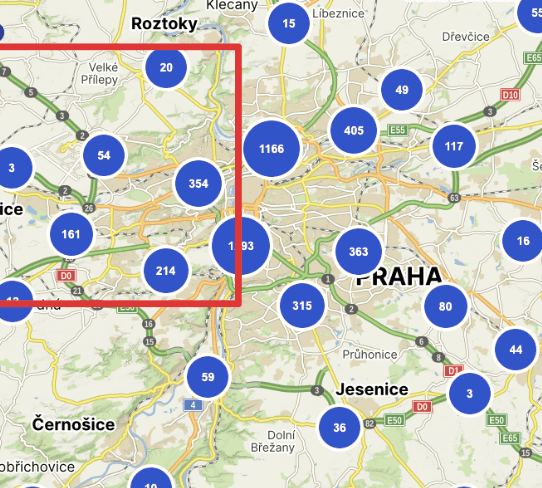
Map overloaded. Filters overcomplicated.
Performance issues:
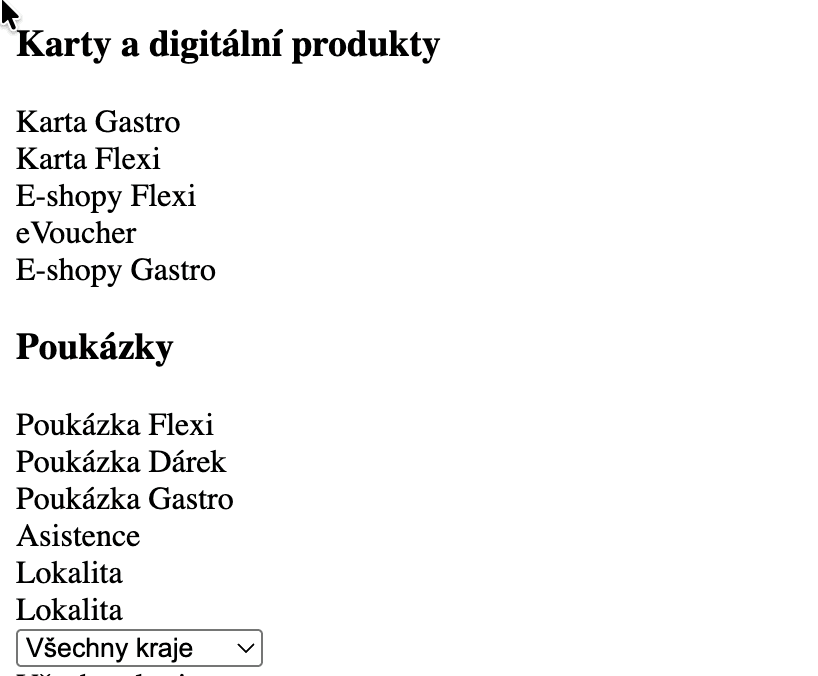
Slow load. Users bounced before results appeared.
Content reliability:
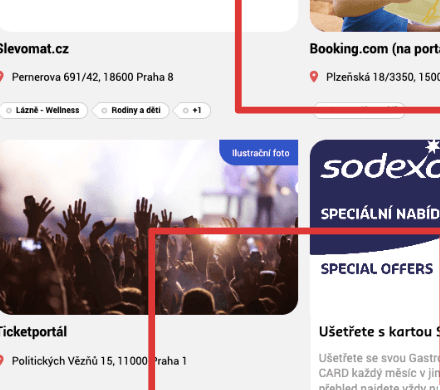
Outdated info. Misleading photos. Trust broken.
/03
Internal interviews
Three departments, three completely different definitions of the problem.
Sales feared any data changes. The venue database, however broken, was their core sales argument.
Development confirmed years of technical debt and failed fixes.
Customer Support simply validated everything the Service Safari had already shown.
The friction between departments turned out to be as informative as the user friction itself. If internal stakeholders can't agree on the problem, no redesign will survive the handoff.

/04
Analytics review
Google Analytics and Hotjar don't have opinions. They just count. And the numbers were uncomfortable.
Half the users never touched the core features built to help them most. Nearly half were accessing the site on mobile, a platform the design barely acknowledged. The product wasn't failing because users didn't care. It was failing because the interface gave up on them first.riction itself. If internal stakeholders can't agree on the problem, no redesign will survive the handoff.

/05
Moderated research
Real users, real sessions, no surprises. Semi-structured, online, with users who already knew the platform. The goal wasn't to fish for new problems. It was to confirm the ones already found. The hypothesis built from Service Safari and internal interviews needed either validation or a funeral. It got validated.

/06
Empathy mapping
What users say and what they actually do are two very different things. Each moderated session was paired with an Empathy Map capturing what users said, thought, felt, and did while navigating the search. The pattern was consistent across every participant: they felt confused, said nothing out loud, and quietly switched to a competitor.

/07
Competitive analysis
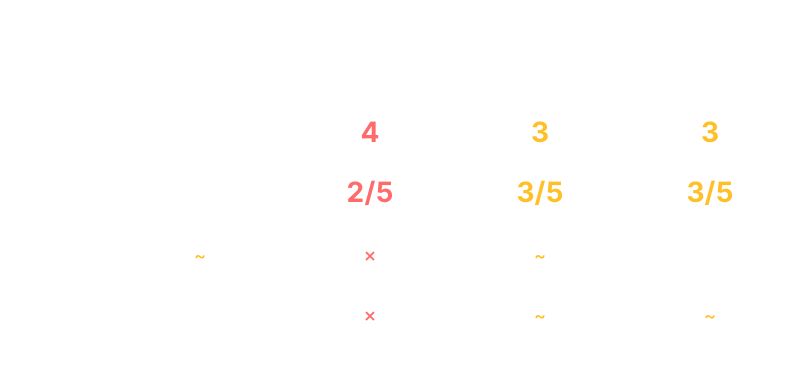
Direct competitors on the Czech market had already solved what Můjpass.cz hadn't. Mobile-first layouts, clear venue descriptions, reliable content. These were table stakes everywhere else. The comparison wasn't flattering, but it was exactly the argument needed to move stakeholders from "it's fine" to "we have a real problem."
Define
Research told me what was broken. Synthesis told me what to focus on.
/01
Persona
Three users, three completely different relationships with the same broken product. Built from moderated research, customer support logs and field observations. Not archetypes, but real behavioural patterns.
HR Manager. Navigates the map on a lunch break. Short on time, low tolerance for friction.
End User. Opens the app once a month and gives up.
Power User. Learned every workaround because the system forced them to.
/02
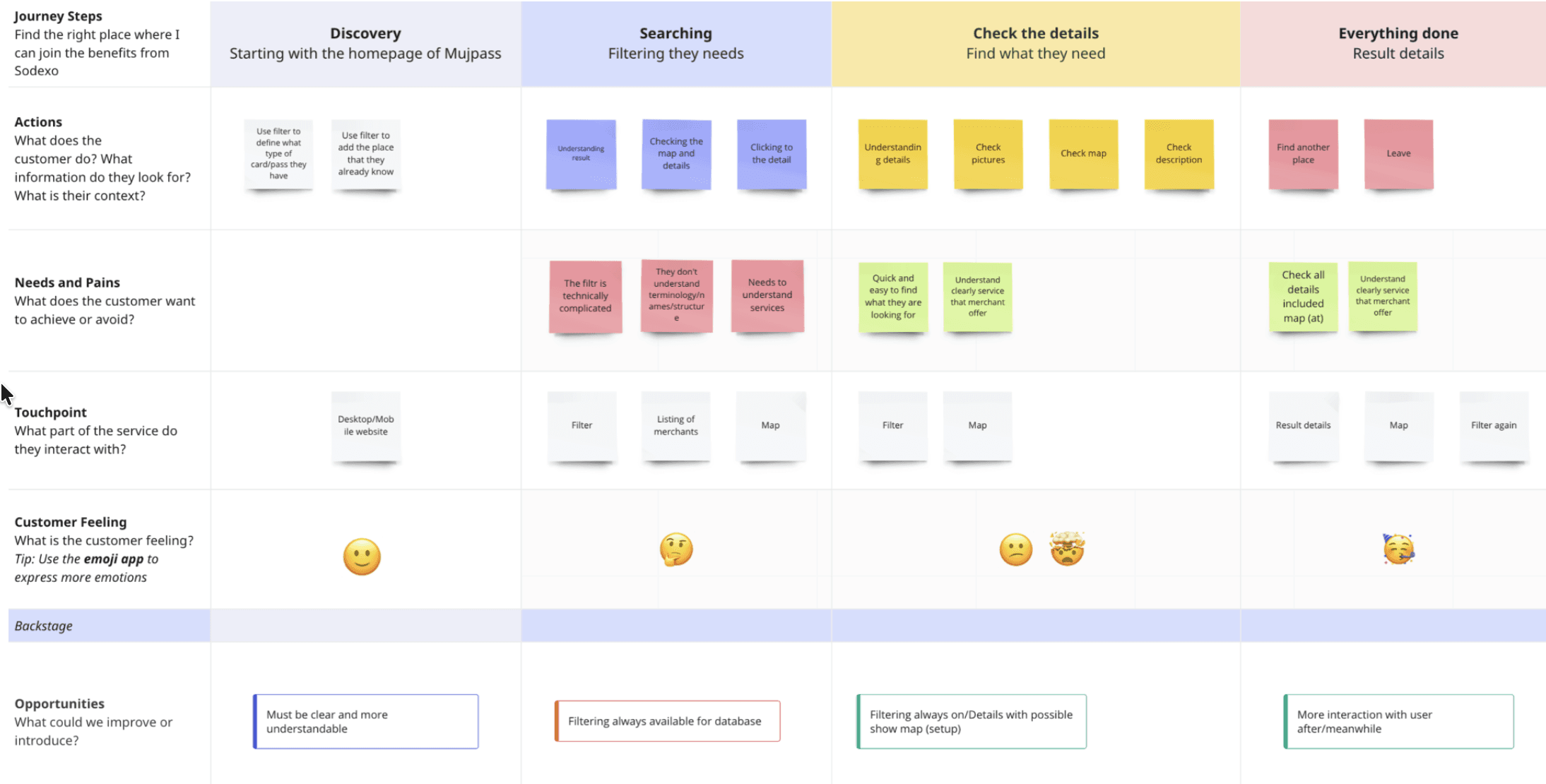
User journey
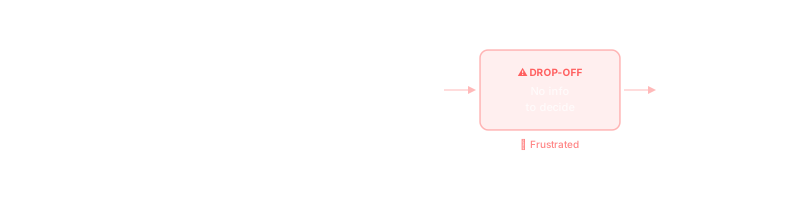
Mapping the full journey from "I want to find a lunch spot" to "I give up" revealed one critical insight: users didn't abandon the platform because they couldn't find venues. They abandoned it because two venues looked identical. No descriptions, no photos, nothing to choose between. That single friction point became the north star for everything that followed.
Ideate
Research told us what was broken. Now we needed to figure out how to fix it together. Not in a meeting. Not in a slide deck. In a room with markers, paper, and people who had never run a design workshop before.
/01
HMW Workshop
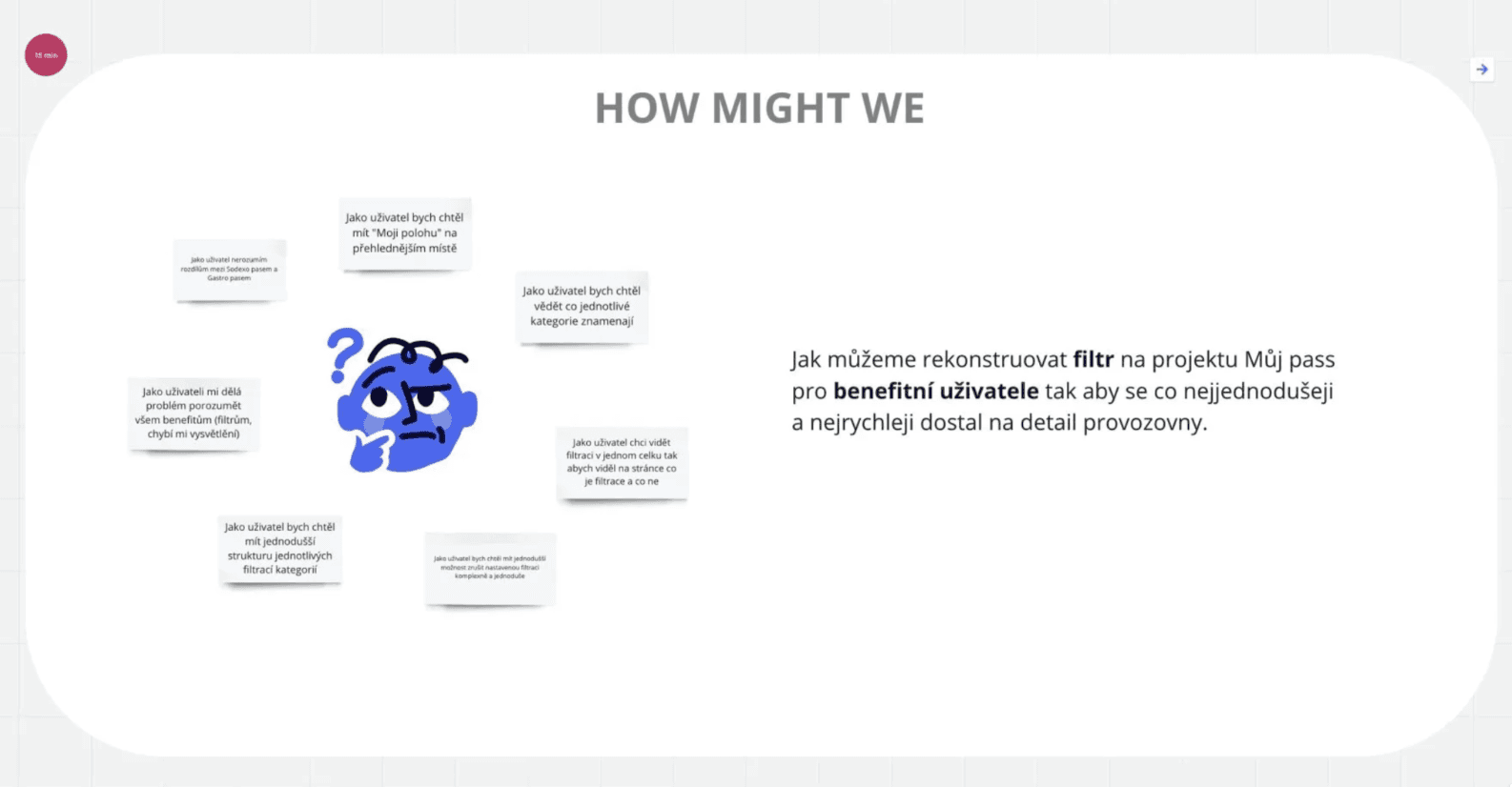
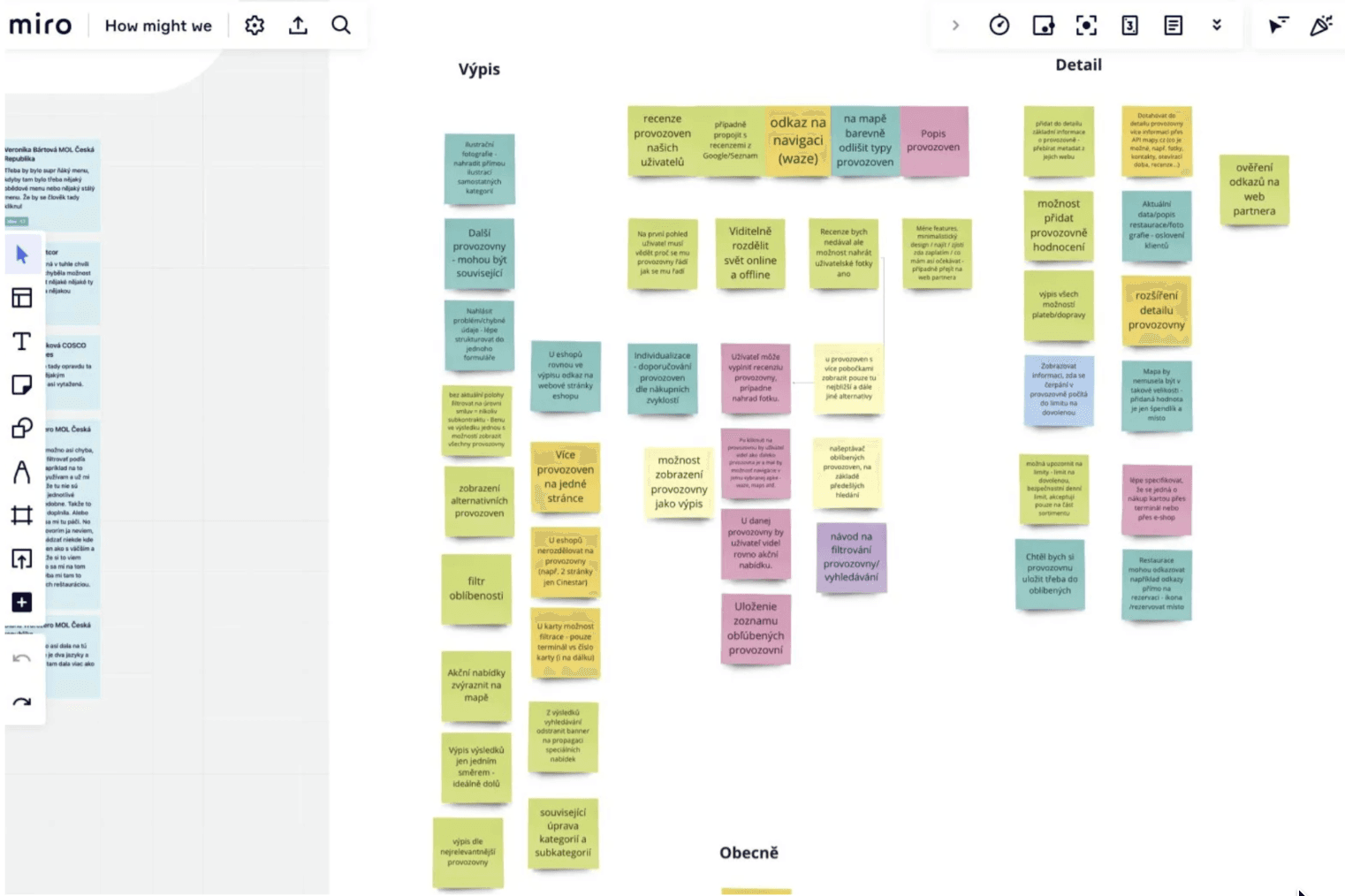
The first UX workshop in the company's history. Nobody knew what to expect. The session opened with an icebreaker: participants designed their own avatars to loosen up a room full of people who hadn't agreed on anything in years. The HMW (How Might We) method surfaced old unresolved tensions fast. Sales, Development and Management each had a completely different definition of the problem. That friction turned out to be the most valuable output of the day.
/02
Crazy 8's
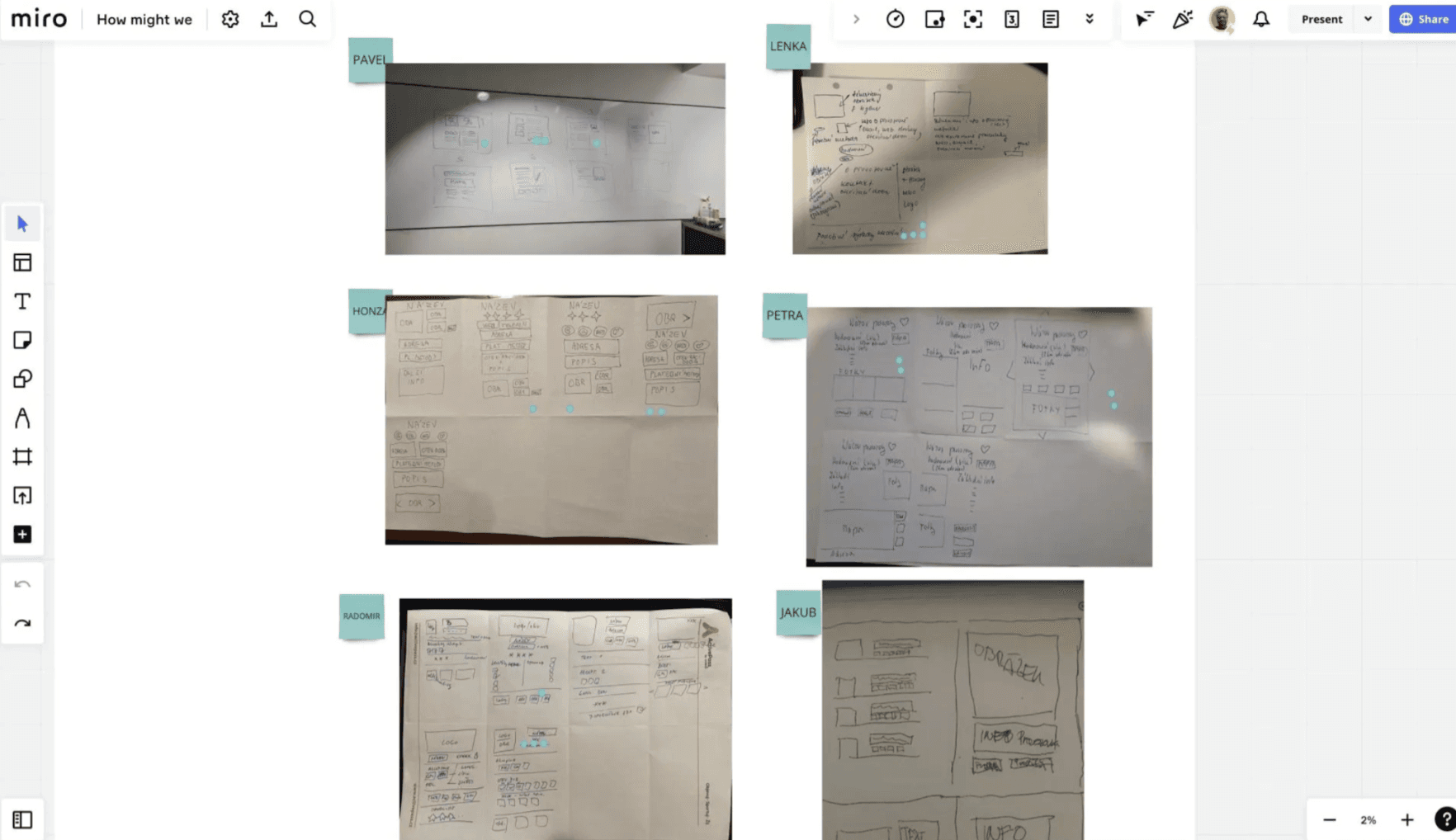
Eight minutes, eight sketches, zero excuses. In the second Design Studio session, every participant (including stakeholders who hadn't held a pen at work in years) sketched eight UI concepts in eight minutes flat. The result wasn't polish. It was 24 raw concepts for the homepage and venue detail page, three different mental models of what "benefit search" should look like, and one sketch that accidentally nailed the final onboarding flow.
/03
Dot Voting
After Crazy 8's, the team voted. Not by seniority, not by loudest voice. By dots. The democratic process cut through the noise and surfaced two clear wireframe directions worth developing further. Concept F won by a landslide: action-first layout, minimal filters, venue content front and centre.
Prototype
Dot Voting gave a direction. Figma gave it structure.
/01
Two wireframe models
Two lo-fi wireframe models were built in Figma, both addressing the same core problems but with fundamentally different approaches to information hierarchy.
Model A. Map as the primary interface. Familiar, but friction-heavy.
Model B. Flipped the logic. List-first, content-forward, filters progressive.
Both went straight into usability testing without visual polish. The goal was to test structure, not aesthetics.
Test
Two wireframes, real users, one clear winner. Testing ran in two rounds: Guerrilla first for speed, moderated second for depth.
/01
Guerrilla testing
First pass was internal, with colleagues. Fast, cheap, noisy, but enough to catch the obvious breakages before bringing real users back into the room.
/02
Moderated sessions
Second pass used the same moderated semi-structured format as the earlier research, with the same users who had tested the original product months before. That continuity mattered. They could compare the broken version against the new one with their own hands, not from memory.
/03
The friction, the fix
Model B won unanimously. The pattern behind every win was the same: less information fighting for attention, more of the right information surfaced at the right time.
Friction.
Too many options visible at once. Nobody knew where to start. Fix. Progressive disclosure. Top 3 filters visible by default. Advanced options behind one tap.
Friction. Empty venue cards. Name and address only. No basis for comparison. Fix. Content-first cards. Photo, category tag, one-line description. Empty states visually flagged.
Friction. Map as default. Slow to load, pins overlapping, benefit type invisible. Fix. List as default. Map moved to a secondary tab. Faster to scan, benefit type shown as a tag.
Deliver
Three things came out of this project. A shipped rebrand, a new component library, and a UX process the company now uses by default.
/01
Pluxee rebrand and UI
Model B became the foundation for the final Pluxee visual implementation. The biggest challenge wasn't applying the new visual identity. It was building components that didn't exist in the system yet: venue cards, filter chips, benefit type tags. Everything had to be designed from scratch within strict brand constraints.
/02
Component library
The new components shipped into Pluxee's global design system. Venue cards, filter chips, benefit type tags, empty states. Future projects inside the Pluxee ecosystem now inherit them instead of rebuilding.
/03
New UX process
company-wide
This was the first structured UX process the company had run end to end. Moderated testing, HMW workshops, Crazy 8's and A/B prototyping went from "never done before" to standard practice. The process outlasted the project.
Outcome
Three things came out of this project. A shipped rebrand, a new component library, and a UX process the company now uses by default.
/01
Impact
The rebrand shipped to production. The component library landed inside Pluxee's global design system. For the first time in the company's history, Sales, Development and Management aligned on a shared problem. That alignment outlasted the project. The UX process introduced along the way (moderated testing, HMW workshops, A/B prototyping) is now part of how the company works by default.
/02
What I learned
Designing within organisational constraints is itself a design problem. The gap between "validated" and "shipped" is where most UX work quietly disappears. Involving development earlier, and framing every design decision in terms of implementation cost, isn't optional. It is the work.
/03
Next steps
The functional redesign remains open. When the technical overhaul of the underlying system is complete, Model B goes live.
Further research. Re-run moderated usability testing against the shipped Pluxee UI to validate whether the rebrand alone improved key metrics: task completion rate, time on search, drop-off at the venue detail page.
Full redesign. Present updated research findings to the new Pluxee product team to reopen the redesign phase with a revised implementation estimate and a phased rollout plan.